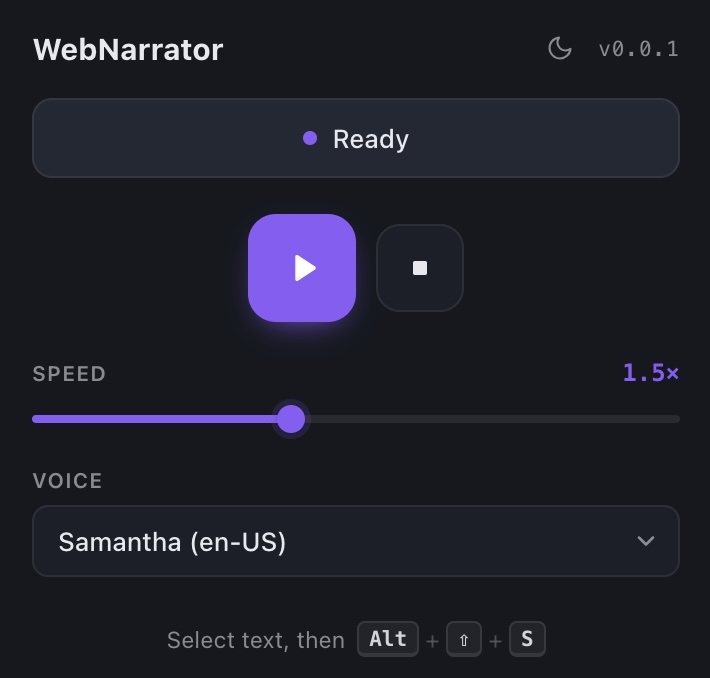
I just launched WebNarrator, a free browser extension that reads any webpage aloud. Select text, hit a keyboard shortcut, and listen, with live word-by-word highlighting so you can follow along. As of the time of this writing, WebNarrator is pending review on the Chrome and Firefox extension portals.
It runs entirely in your browser using the Web Speech API. No servers, no analytics, no accounts. The voices come from your operating system, so what you hear depends on the voices your OS has installed (and you can download better ones).
Why I built it
I love audiobooks. One thing I’ve liked doing with dense audiobooks is having both the audiobook and the physical book and reading along with the narration. It helps me stay engaged when things are technical and dense.
For example, I’m reading 10X Is Easier Than 2X right now. It’s a great book but it’s quite repetitive, and I’m struggling to get through it. If I had the audiobook too instead of just trying to read it physically, I think I’d be able to power through a chapter a day a lot easier. Right now some chapters feel like a real slog.
WebNarrator was also inspired by the Mac terminal’s say command. I have a bunch of terminal scripts that let my computer speak to me. When Claude Code finishes, a hook runs that says “Claude complete!” out loud using say. The Linkidex build scripts have say commands in them too. If I’m running Linkidex’s entire rspec test suite, then rebuilding the front end, then rebuilding the extensions, then running the servers, then running the end-to-end tests against my local servers — that whole process can take a long time. The voice cues let me go do something else and not really pay attention until I hear that it’s finished or something blew up, which cuts down a lot of otherwise dead time.
So say commands and the computer speaking to me are something I like and have been toying with more. I had the idea: is there a way to plug into the terminal’s say from the browser, or something similar? Long story short, turns out browsers have built-in logic to more or less do exactly this, really easily. So I made an extension that lets you highlight text and have the computer speak it. There’s a lot of text-to-voice and voice-to-text stuff going on right now with AI, but this little extension can do it all for free, locally, offline. For my own needs it’s been working great. I went ahead and ‘productionized it’ (I made it look more pretty) and threw it on the extension stores so other people can use it too.
WebNarrator’s website is live here. The website itself is powered by the Jekyll Prism Theme and showcases Prism’s ‘landing page’ layout.